Getting Started on 1688 — Account Setup & Search Guide
This is the most important chapter in the entire guide. While most sourcing guides focus on Alibaba (the easy, expensive option), we're going straight to the source — 1688.com — where the real prices are.
If you only read one module, read this one.
2.1 What Is 1688 and Why Should You Care?
1688.com is Alibaba's domestic wholesale platform. Think of it as "Alibaba for Chinese people." It's owned by the same company (Alibaba Group), but it serves the Chinese domestic market rather than international buyers.
Here's what you need to understand:
- Alibaba.com = International (English, marked-up prices, foreign-friendly)
- 1688.com = Domestic (Chinese, factory prices, China-focused)
The same factory sells on both platforms. But on 1688, they show their real prices — the prices they charge local Chinese buyers. On Alibaba.com, they add a markup because they can.
What Makes 1688 So Powerful
| Feature | 1688 | Alibaba.com |
|---|---|---|
| Number of suppliers | ~10 million+ | ~3 million |
| Price level | Factory-direct | Marked up 30-50% |
| Language | Chinese | English |
| International shipping | No (use agent) | Yes |
| Payment | Alipay (Chinese system) | Credit card / Wire transfer |
| MOQ (Minimum Order Quantity) | Usually lower | Often higher |
Real Price Comparison
We searched for "wireless charger" (无线充电器) on both platforms:
- 1688: 15 RMB/piece ($2.07) — MOQ: 50
- Alibaba.com: $4.50/piece — MOQ: 100
The same product. The same factory. A 54% price difference.
2.2 Creating Your 1688 Account
Creating an account on 1688 is straightforward, but there are a few things beginners get stuck on. Let's walk through it.
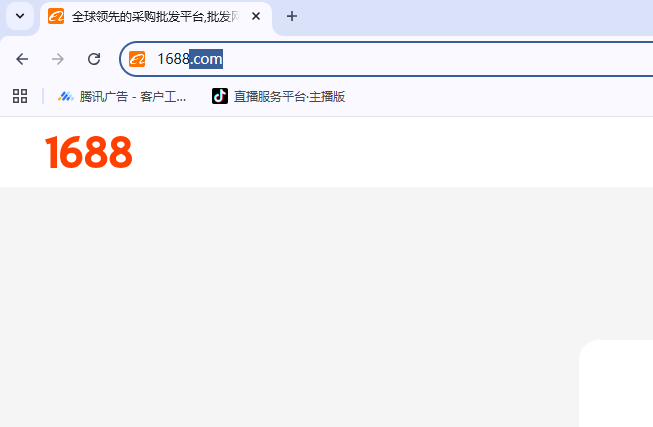
Step 1: Access the Registration Page
- Go to 1688.com
- Click the "免费注册" (Free Registration) button in the top-right corner
- You'll see the registration form
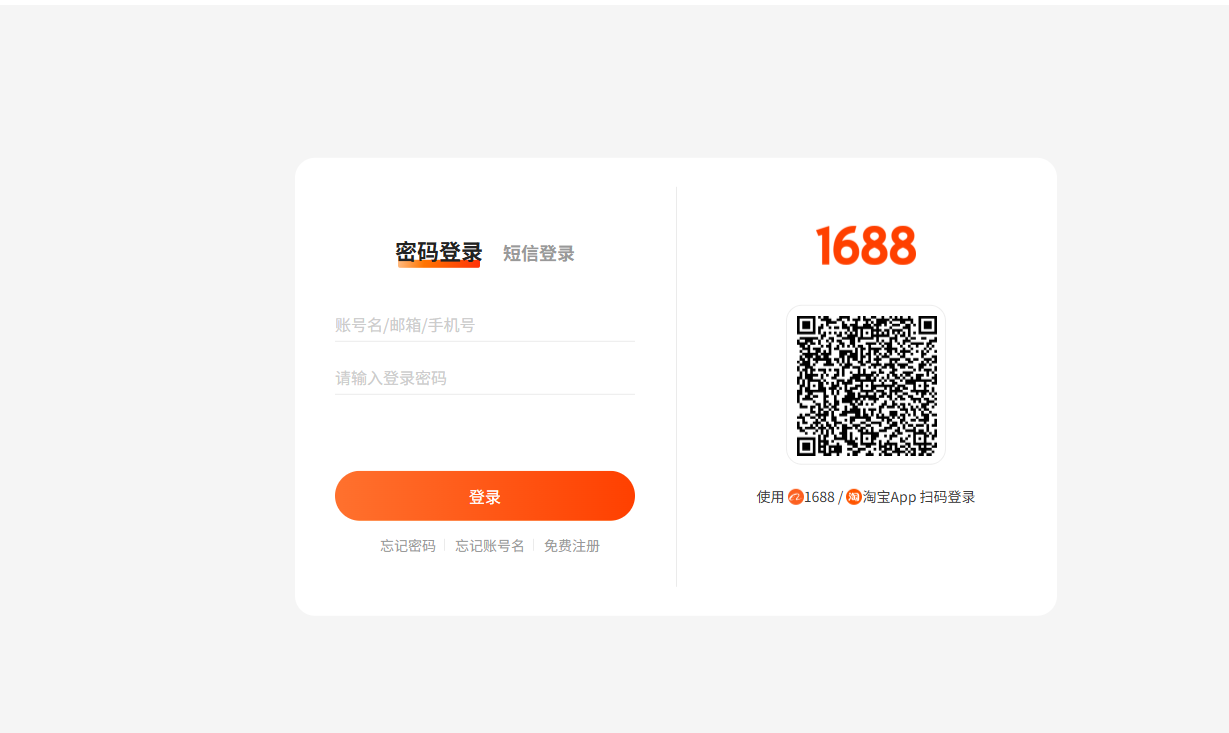
Step 2: Fill in Your Information
| Field | Chinese Label | What to Enter |
|---|---|---|
| Mobile number | 手机号码 | Your phone number (international works) |
| Password | 密码 | Create a strong password (8-20 characters, letters + numbers) |
| Confirm password | 确认密码 | Enter the same password |
| Verification code | 验证码 | Enter the code you receive via SMS |
Important: International phone numbers work. Enter your full number including country code. For example, a US number would be +1XXXXXXXXXX.
📷 Visual Guide — SMS Verification: After clicking "Get Code," a popup appears with a 6-digit input field. The message says "验证码已发送到手机" (Verification code sent to phone). Enter the 6-digit code you received via SMS and click "提交" (Submit). If you don't receive the code within 60 seconds, there's a "重新发送" (Resend) button.
Step 3: SMS Verification
- Click "获取验证码" (Get Verification Code)
- You'll receive a text message with a 6-digit code
- Enter the code
- Click "注册" (Register)
📷 Visual Guide — Post-Registration Welcome: After successful registration, you'll be redirected to a welcome dashboard. The top-right corner now shows your username (手机用户 + last 4 digits of your phone number). You'll see a prompt to complete your profile: "完善个人信息" (Complete Profile Information). This includes adding your real name, email, and company name — all optional but recommended.
Step 4: Complete Your Profile (Optional but Recommended)
After registering, you can add additional details:
- Click on your username in the top-right corner
- Select "账号管理" (Account Management)
- Add your:
- Real name (真实姓名)
- Email address (邮箱)
- Company name (公司名称) — can be your business name
Note: 1688 accounts don't require business verification for basic browsing and purchasing. You can start buying immediately.
Troubleshooting Registration
Problem: "SMS code not received"
- Wait 60 seconds and try again
- Make sure your country code is correct
- Some international numbers have delays — try using a Google Voice number
Problem: "页面加载缓慢" (Page loading slow)
- 1688 is optimized for users in China, so it can be slow overseas
- Use a VPN with a China exit node if possible (optional but helpful)
Problem: "I can't read the characters"
- Use Chrome's built-in translation (right-click → Translate to English)
- We'll explain each button in the next section
2.3 Navigating the Interface — A Visual Guide
The 1688 interface is intimidating at first, but once you know where everything is, it's actually very well organized.
The 1688 homepage is organized into clear zones: utility bar at the top, main navigation, search bar, and category grid below.
The Main Navigation Bar
The top navigation bar has these key sections:
| Chinese | English Meaning | What It Does |
|---|---|---|
| 首页 | Home Page | Returns to the main search page |
| 找货源 | Find Products | The main product search |
| 商家入驻 | Supplier Portal | For suppliers to register |
| 采购车 | Shopping Cart | Your saved items |
| 我的阿里 | My Alibaba | Your account dashboard |
📷 Visual Guide — Navigation Bar: The nav bar is a horizontal strip with white text on a dark red background. Each menu item is clearly separated. When you hover over "找货源" (Find Products), a dropdown appears with sub-categories like 日用百货 (Daily Goods), 数码电器 (Digital Electronics), and 女装 (Women's Clothing). The cart icon on the right shows a number badge if you've saved any items.
The Search Bar
The search bar is your most important tool. It's prominently centered on the page.
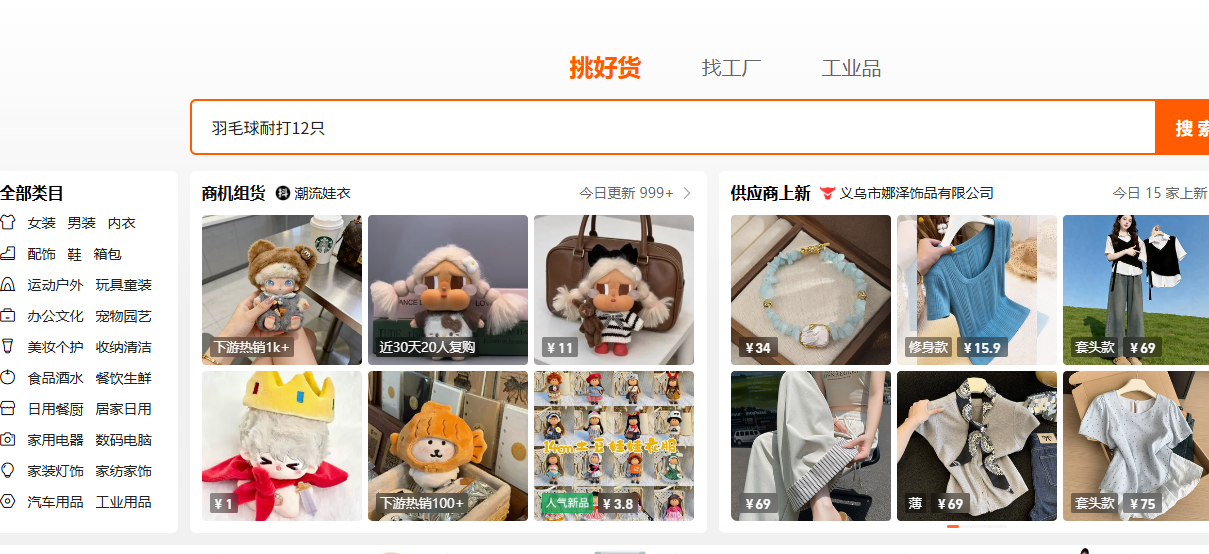
Search tips:
- Use Chinese keywords (use Google Translate or our keyword list in the appendix)
- Be specific — "wireless bluetooth earbuds TWS" returns better results than "earphones"
- Use the category filter on the left to narrow results
Key Icons and Buttons
| Icon/Button | Chinese | Meaning |
|---|---|---|
| Shopping cart icon | 采购车 | Add to cart |
| Star icon | 收藏 | Save/favorite this product |
| Chat bubble | 和我联系 | Contact supplier |
| Phone icon | 联系电话 | View supplier's phone number |
| Shop icon | 进入店铺 | Visit supplier's store |
2.4 Search Techniques That Actually Work
Finding the right product on 1688 isn't about luck — it's about knowing how to search.
Method 1: Direct Chinese Keyword Search (Best Results)
The best way to find products is to search in Chinese. Here's how:
- Think of your product in English ("silicone phone case")
- Use Google Translate or DeepL to get the Chinese equivalent ("硅胶手机壳")
- Paste it into the 1688 search bar
Product Keyword Cheat Sheet — 50+ Categories:
| Category | English | 中文 (Chinese) |
|---|---|---|
| Electronics | Bluetooth earphones | 蓝牙耳机 |
| Wireless charger | 无线充电器 | |
| Phone case | 手机壳 | |
| Screen protector | 钢化膜 | |
| USB cable | 数据线 | |
| Power bank | 充电宝 | |
| Smart watch band | 智能手表表带 | |
| LED light | LED灯 | |
| Webcam | 摄像头 | |
| Laptop stand | 笔记本电脑支架 | |
| Home & Kitchen | Water bottle | 水杯 |
| Kitchen knife | 厨房刀 | |
| Cutting board | 砧板 | |
| Food container | 保鲜盒 | |
| Coffee mug | 咖啡杯 | |
| Towel set | 毛巾套装 | |
| Pillow | 枕头 | |
| Storage box | 收纳盒 | |
| Sink organizer | 水槽置物架 | |
| Fashion & Accessories | Jewelry box | 首饰盒 |
| Watch band | 表带 | |
| Sunglasses | 太阳镜 | |
| Hair clip | 发夹 | |
| Scarf | 围巾 | |
| Wallet | 钱包 | |
| Tote bag | 手提袋 | |
| Backpack | 背包 | |
| Hat / Cap | 帽子 | |
| Fitness & Outdoor | Yoga mat | 瑜伽垫 |
| Resistance band | 弹力带 | |
| Dumbbell | 哑铃 | |
| Jump rope | 跳绳 | |
| Camping tent | 帐篷 | |
| Hiking backpack | 登山包 | |
| Waterproof bag | 防水袋 | |
| Beauty & Personal Care | Makeup brush | 化妆刷 |
| Makeup bag | 化妆包 | |
| Hair dryer | 吹风机 | |
| Nail polish | 指甲油 | |
| Facial mask | 面膜 | |
| Cosmetic mirror | 化妆镜 | |
| Hair brush | 梳子 | |
| Pet Supplies | Pet bed | 宠物床 |
| Pet carrier | 宠物包 | |
| Pet feeder | 宠物喂食器 | |
| Pet toy | 宠物玩具 | |
| Cat scratcher | 猫抓板 | |
| Dog leash | 狗绳 | |
| Kids & Toys | Toy car | 玩具车 |
| Building blocks | 积木 | |
| Stuffed animal | 毛绒玩具 | |
| Kids backpack | 儿童背包 | |
| Kids water bottle | 儿童水杯 | |
| Home Office | Desk organizer | 桌面收纳 |
| Mouse pad | 鼠标垫 | |
| Notebook | 笔记本 | |
| Pen holder | 笔筒 | |
| Desk lamp | 台灯 | |
| Health & Wellness | Essential oil diffuser | 香薰机 |
| Massage gun | 筋膜枪 | |
| Posture corrector | 矫正带 | |
| Acupressure mat | 按摩垫 | |
| Seasonal | Christmas ornament | 圣诞装饰 |
| Halloween decoration | 万圣节装饰 | |
| Swimming goggles | 泳镜 | |
| Beach towel | 沙滩巾 | |
| Hand warmer | 暖宝宝 | |
| Electric blanket | 电热毯 |
Pro tip: The most effective way to build your keyword list is to find a successful product on Amazon, copy its English name, translate it to Chinese using DeepL, then search it on 1688. Note what terms the top results use in their titles — those are the real keywords suppliers use.
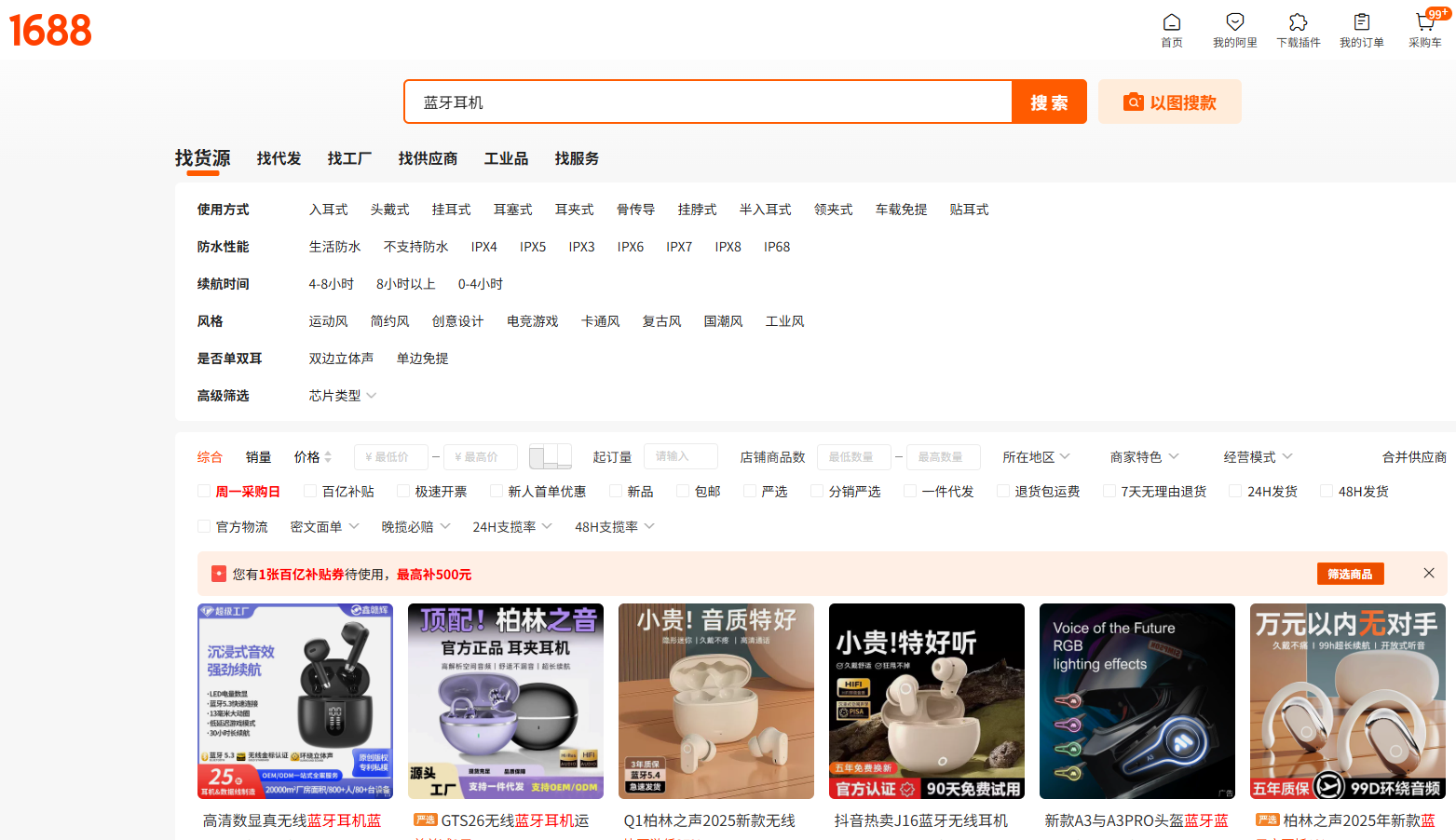
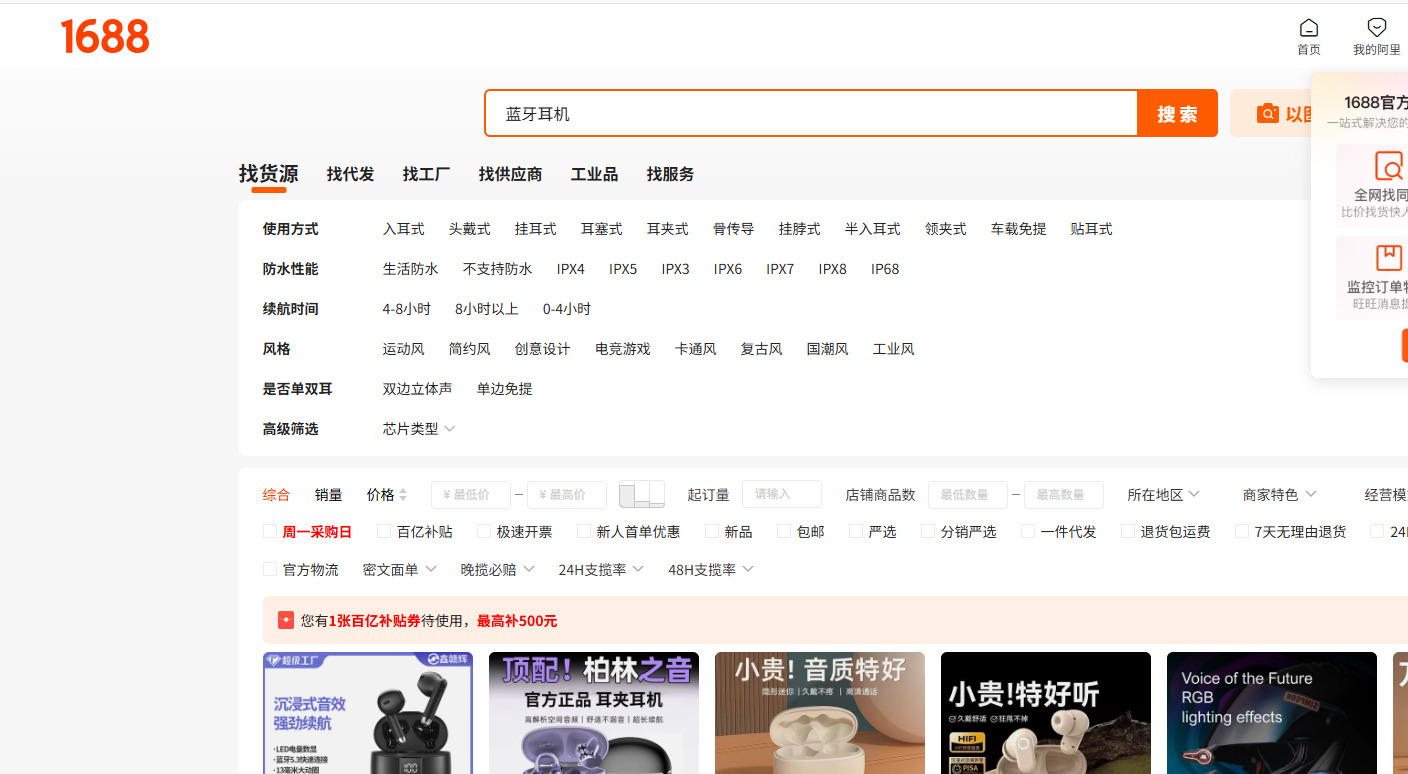
Method 2: Image Search (When You Don't Know the Keyword)
1688 has a powerful image search feature:
- Click the camera icon (照相机) in the search bar
- Upload a photo of the product you want to find
- 1688 will find visually similar products
This is incredibly useful when:
- You see a product on Amazon and want to find its source
- You don't know the Chinese name
- You want to compare prices for the exact same product
📷 Visual Guide — Image Search Interface: Clicking the camera icon opens a popup with two options: "上传图片" (Upload Image) with a clickable upload area, and "粘贴图片网址" (Paste Image URL) for online images. You can drag and drop an image or click to browse your files. After uploading, 1688 processes the image and displays visually similar products ranked by similarity — usually quite accurate for popular products.
Method 3: Category Browsing
For discovering new product ideas:
- On the homepage, browse the category sections
- Click into a broad category (e.g., "家用电器" = Home Appliances)
- Use the left sidebar filters to narrow down
Major categories on 1688:
| Category | Chinese |
|---|---|
| Women's Clothing | 女装 |
| Men's Clothing | 男装 |
| Home & Garden | 家居用品 |
| Beauty & Personal Care | 美容护肤 |
| Electronics | 数码电器 |
| Toys & Hobbies | 玩具 |
| Sports & Outdoors | 运动户外 |
| Pet Supplies | 宠物用品 |
2.5 Understanding Product Pages
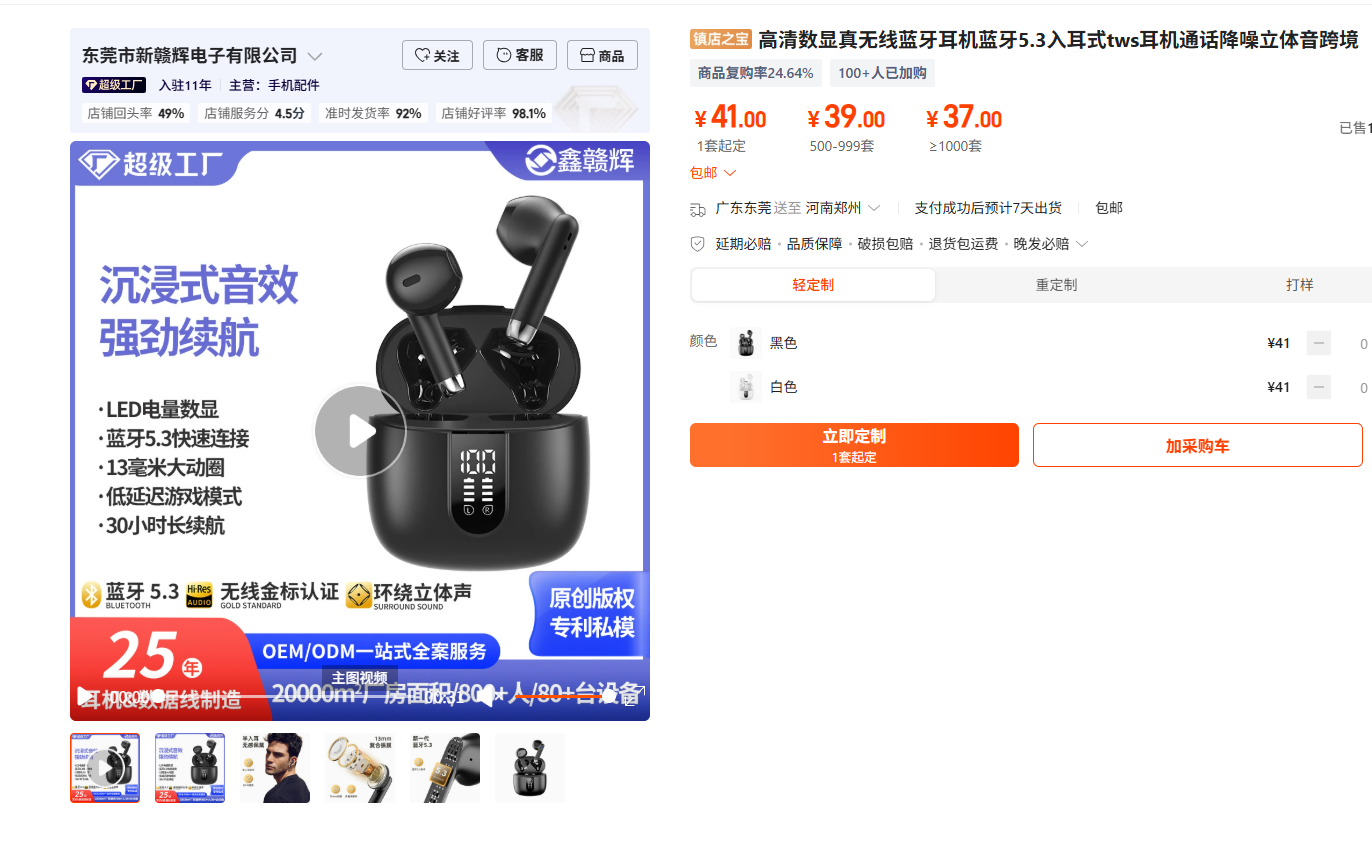
Once you click on a product, you'll see the product detail page. Here's how to read it.
Key Information Areas
1. Product Title (产品标题) The title contains keywords, specifications, and sometimes MOQ information. Longer titles often mean more competitive sellers.
2. Price (价格) 1688 shows price ranges based on quantity:
价格: ¥15.00 - ¥12.00
       ≥50个   ≥200个
This means: ¥15/piece for 50+ units, ¥12/piece for 200+ units.
3. MOQ (起批量 / 最小起订量) The minimum number you need to order. Look for the row labeled:
起批量: ≥ 50个
This means you must order at least 50 pieces.
4. Sales Volume (成交 / 销量) How many units have been sold recently. Higher is generally better.
- 成交 5,000+ 笔 = 5,000+ orders placed
- This is a positive signal
A score out of 5:
| Rating | Meaning |
|---|---|
| 4.5 - 5.0 | Excellent supplier |
| 4.0 - 4.5 | Good supplier |
| 3.5 - 4.0 | Average — proceed with caution |
| Below 3.5 | Avoid |
6. Product Details (产品详情) Scroll down to see:
- Specifications and dimensions
- Material information
- Packaging details
- Often includes real product photos (not stock photos)
7. Supplier Info (供应商信息) Right sidebar shows:
- Company name
- Location (city/province)
- Years in business
- Verification badges
Red Flags on Product Pages
- Stock photos only — the supplier may not have the actual product
- Price seems too good — quality is probably very low
- No sales history — new listing or unreliable supplier
- Vague specifications — they may be hiding something
- Single low-resolution image — lack of professionalism
2.6 How to Evaluate Suppliers
Not all suppliers on 1688 are created equal. Here's a systematic way to evaluate them.
Step 1: Check the Business License
Every legitimate 1688 supplier has a verified business license:
- Click on the supplier's store name to visit their store page
- Look for "企业认证" (Business Certification) badge
- Click it to view their business license details
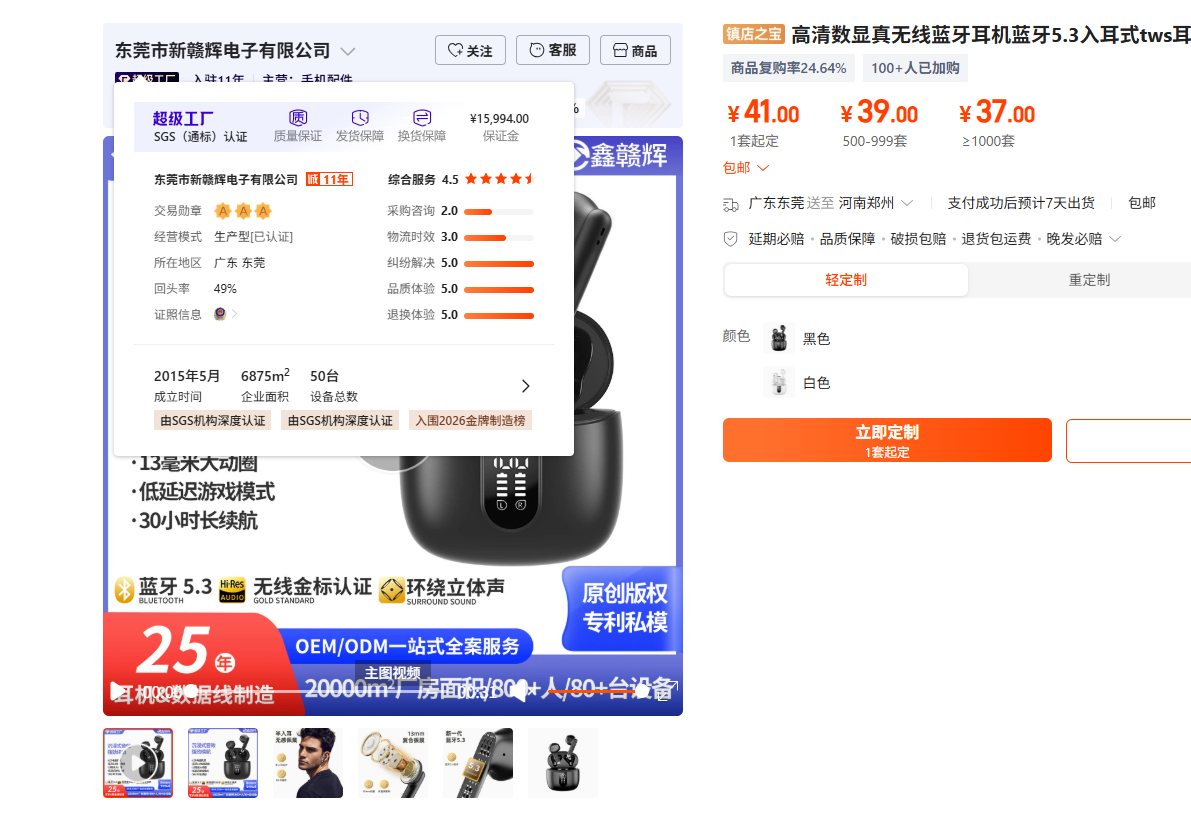
What to check on the license:
- Company name matches the store name
- Business scope (经营范围) includes your product category
- Registration capital (注册资本) — higher is generally better
- Establishment date — older companies are usually more reliable
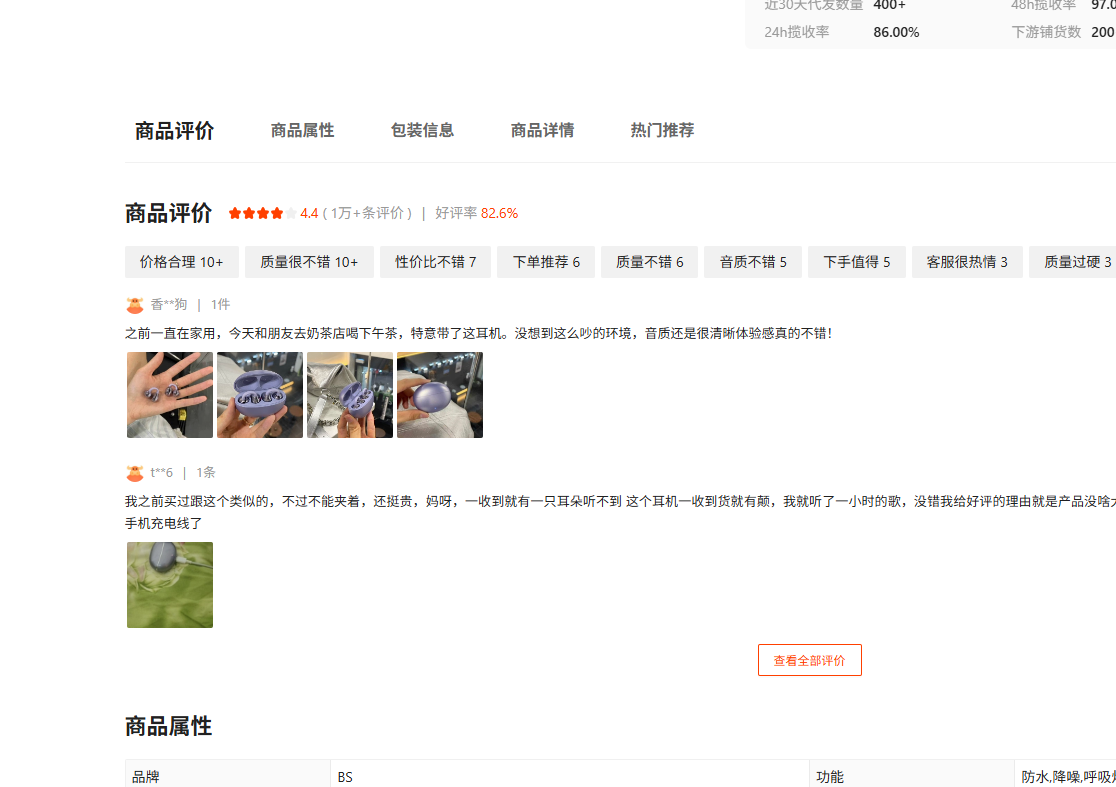
Step 2: Read Reviews and Ratings
Chinese buyers leave detailed reviews, just like Amazon:
- 好评 (Positive review) — usually means the product is good
- 中评 (Neutral review) — there may be minor issues
- 差评 (Negative review) — serious problems, read these carefully
How to spot fake reviews:
- Multiple reviews with exactly the same wording
- All reviews are 5-star with generic comments
- The account was created recently
Step 3: Check Transaction History
The "成交记录" (Transaction Records) section shows recent purchases:
- Consistent sales over time = reliable supplier
- A sudden spike in sales = could be genuine promotion or manipulation
- Repeat buyers = strong signal of quality
Step 4: Verify Contact Information
Legitimate suppliers provide:
- A working phone number
- A physical address (not just a PO box)
- Active customer service (respond during business hours)
Supplier contact information typically includes company name, phone number, and address on the right sidebar of their store page. The screenshot above (营业执照) also shows the supplier's registered details.
Supplier Scoring System
Use this checklist to score suppliers:
| Criteria | Points | How to Check |
|---|---|---|
| Business license verified | 20 | Look for certification badge |
| 4.5+ rating | 15 | Check store rating |
| 100+ transactions this month | 15 | Check sales volume |
| Clear product photos | 10 | Review product images |
| Responsive within 24h | 10 | Send a test message |
| 3+ years on platform | 10 | Check join date |
| Detailed product specs | 10 | Scroll through product page |
| Real customer reviews | 10 | Read through review section |
| Total possible | 100 |
Score interpretation:
- 80-100: Excellent, proceed with confidence
- 60-79: Good, do additional verification
- 40-59: Proceed with caution, verify thoroughly
- Below 40: Consider finding another supplier
2.7 Saving Products and Suppliers
As you browse, you'll find products you want to come back to. 1688 has two useful tools for this.
Favorites (收藏)
Click the star icon (收藏) on any product to save it to your favorites list.
- Access your favorites from "我的阿里" → "我的收藏"
- Create folders to organize by product category
- Check favorites for price changes over time
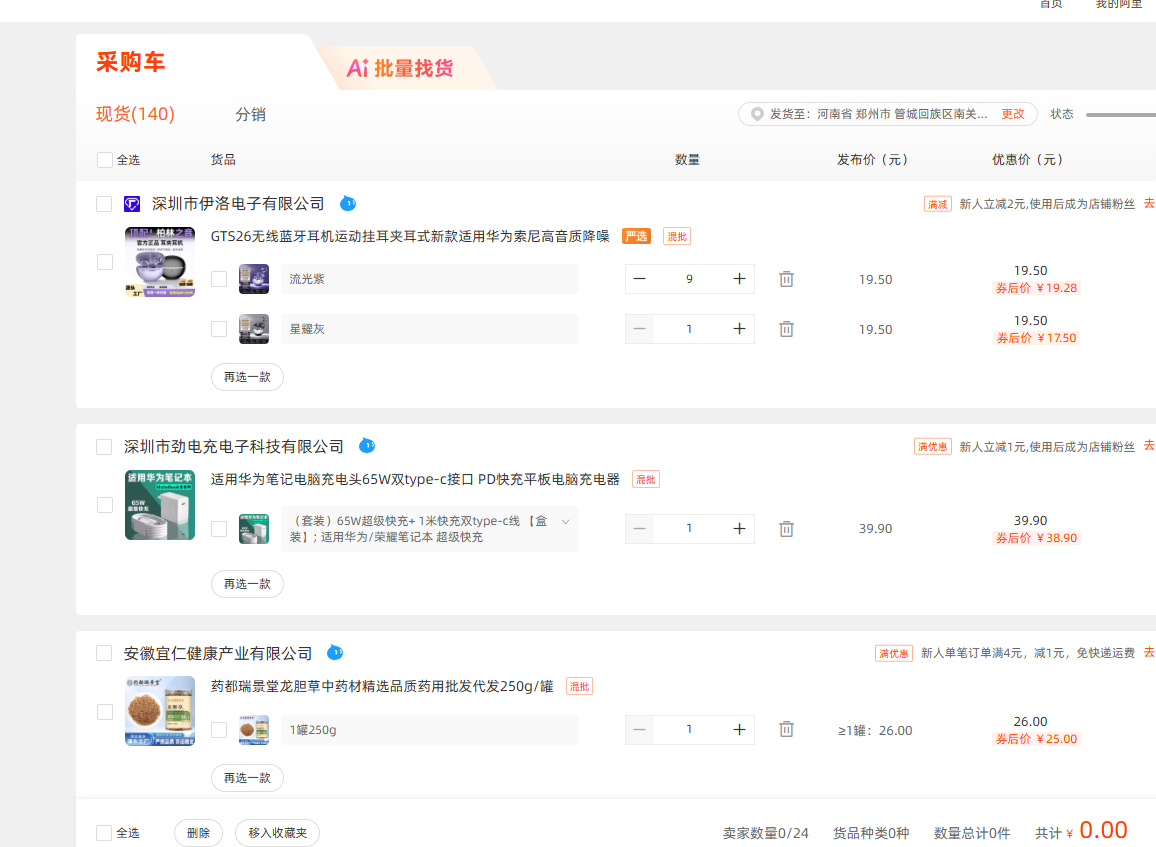
Shopping Cart (采购车)
The shopping cart on 1688 works differently from Amazon or other retail sites:
- It's more like a "save for later" list
- You can add items from multiple suppliers
- Each supplier's items are grouped separately
- You place a separate order for each supplier
📷 Visual Guide — Shopping Cart View: The cart groups items by supplier with clear dividers between each group. Each group shows the supplier's name at the top, then a list of products with thumbnails, quantities, and prices. Below each group, there's a subtotal and a "结算" (Checkout) button for that supplier only. This design reflects the reality of 1688: you can't combine items from different suppliers into one order. You place separate orders with each supplier.
Comparing Products
To compare similar products side-by-side:
- Check the box next to each product (up to 5)
- Click "对比" (Compare) at the bottom of the page
- See a side-by-side comparison of prices, MOQs, and specs
Module 2 Summary
- 1688 is the key to getting factory-direct prices, but it requires more effort than Alibaba
- Registration is straightforward — international phone numbers work
- Chrome translation + our keyword lists make navigation manageable without Chinese
- Image search is a powerful tool when you don't know the keywords
- Always evaluate suppliers systematically using the scoring system
- Save and compare products before making decisions
What's Next
In Module 3, we'll dive into finding and vetting suppliers — how to contact them, request samples, and verify they're legitimate before you send any money.
Screenshots in this guide are from the actual 1688.com interface. For the best learning experience, open 1688 in one browser tab and keep this guide open in another.
This is one module of the full China Sourcing Suite
Get all 13 modules plus 2 bonus guides — 205 pages of actionable content for sourcing products from China.
Buy the Full Bundle — $19